Features

One night at your restaurant,
run by EatLabs.

Follow a single booking from the first ring to the fifth visit — and see every feature where it actually works.

WhatsApp BusinessGoogle Business ProfileMeta AdsGoogle Ads
SKIP ↓

Features

AI call reservations The call 

0102030405/ 05

The call
The confirmation
At the table
The floor
The return

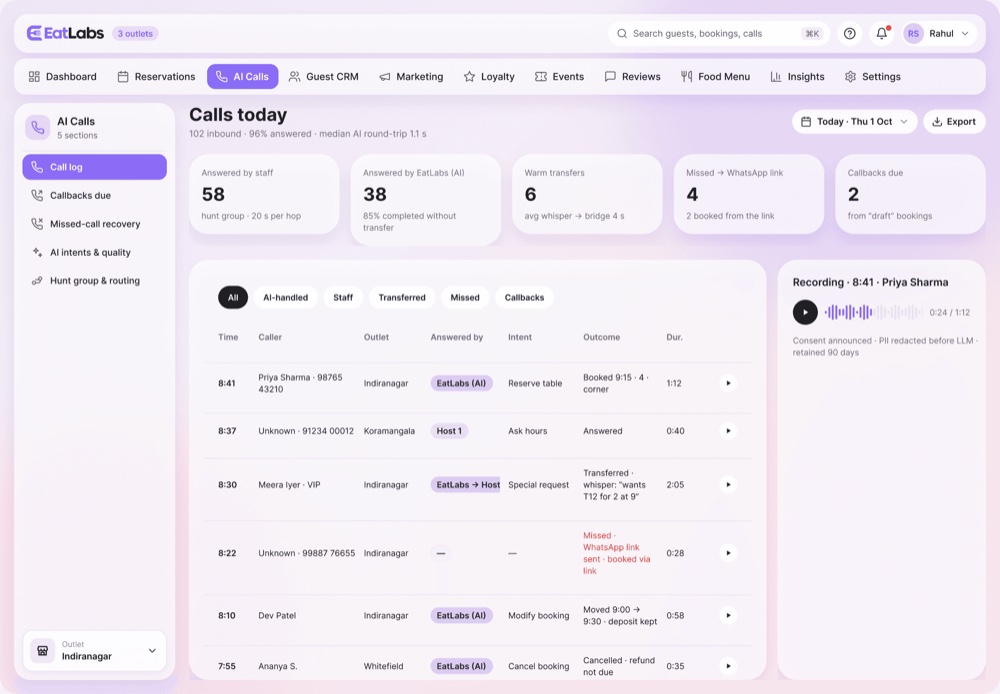
The phone rings at 8 pm on a Friday. EatLabs answers in the guest’s language, collects the name, party size and time, and books the table on the spot — handing over to staff only if it’s ever needed.

For guests · restaurant customers

Nothing to install. Everything to enjoy.

From the first call to the last bite — guests book, confirm, browse and ask in their own language, all from the phone already in their hand.

Booking

03 features
  1. 01

    AI call reservations

    The AI answers every call first, collects the details and books the table, 24/7. It can transfer the call to staff when needed.

  2. 02

    Booking website

    Guests can also book online. There’s no app to download.

  3. 03

    WhatsApp confirmation

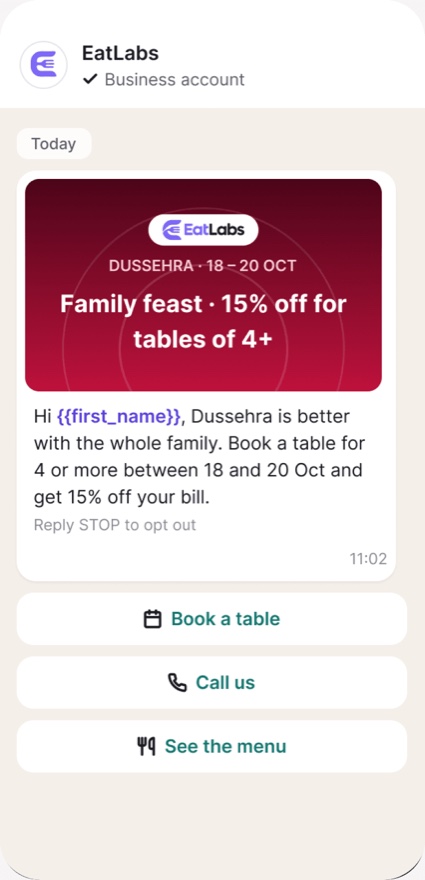
    The booking is sent on WhatsApp and the guest confirms with one tap.

At the table

09 features
  1. 01

    QR smart menu

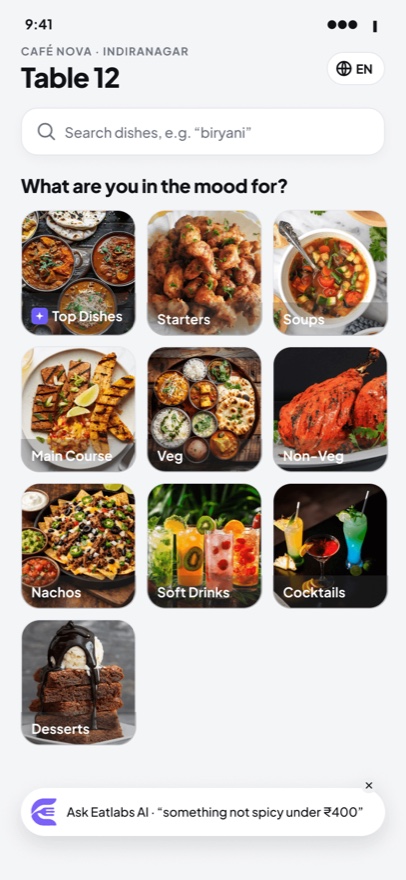
    Scan the table QR to open the menu, with the table number shown at the top. It runs in the phone’s browser with no install.

  2. 02

    Category browsing

    Starters, Mains, Breads, Desserts and Drinks, then a veg or non-veg filter inside each category.

  3. 03

    Dish details

    Ingredients, prep time and veg or non-veg, with images per category and cooking videos.

  4. 04

    AI menu guide

    A chat button that answers questions about the menu — spice level, ingredients, pairings — and compares or filters dishes. It only talks about that restaurant’s menu.

  5. 05

    Voice messages

    Guests can speak their question instead of typing.

  6. 06

    All languages

    A language switch at the top of the menu.

  7. 07

    AI greeting

    Welcomes the guest when they first scan, for example with today’s specials.

  8. 08

    Cart and Call waiter

    Add dishes to a cart and tap “Call waiter”. Staff come to take the order — the AI never takes orders itself.

  9. 09

    Order details

    Guests can see each order once it’s been placed.

Contact us

Ready to fill
more tables?

Tell us about your restaurant and we’ll set up a 20-minute demo — see EatLabs answer a live call, confirm on WhatsApp and seat the table.

Office
Bengaluru, India

We reply within one business day. No spam, ever.